
SmartFTP 연결 비밀번호 복구
Advanced FTP Password Recovery for SmartFTP – Solution for easy recovering the FTP passwords of SmartFTP.
How to make the SmartFTP password recovery?
How to recover FTP password of SmartFTP (by SmartSoft Ltd.)?
FTP Options of SmartFTP
1. Run SmartFTP client software
2. 암호 복구를 위해 FTP 연결을 선택하십시오 (ftp.microsoft.com for example)

3. 현재 호스트 이름과 포트 설정을 기록하십시오. You should restore them after recovery
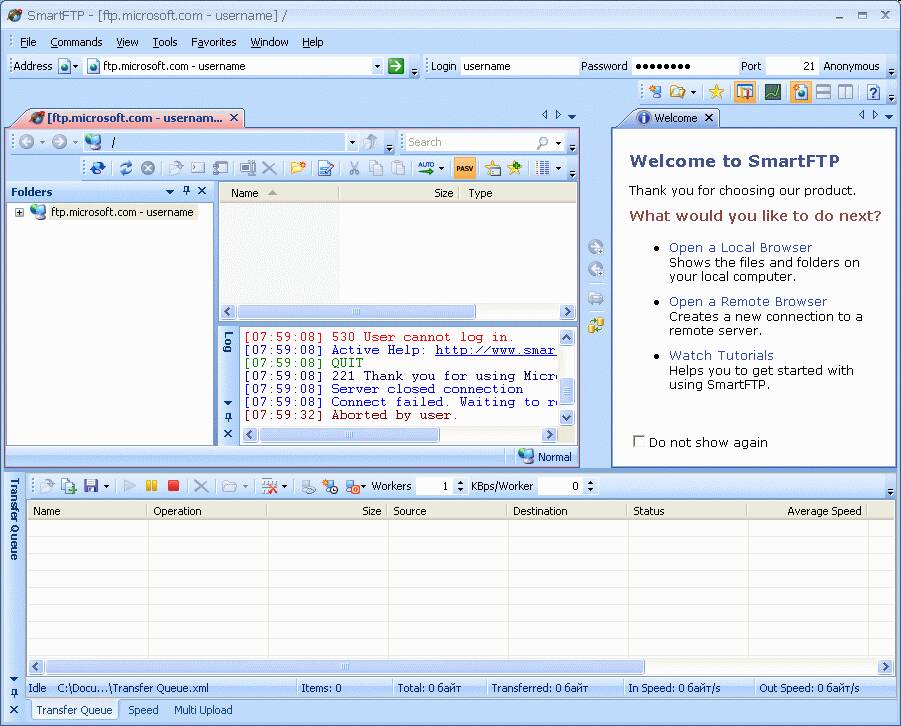
4. Type in LOCALHOST to the Address field. * 입력 할 수도 있습니다 127.0.0.1 or current IP address of the computer where the Advanced FTP Password Recovery will be started.

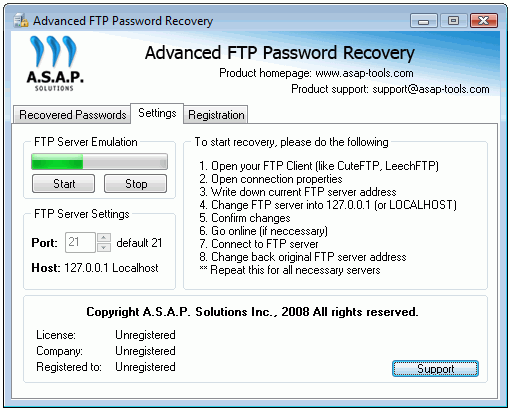
5. Run the Advanced FTP Password Recovery tool and launch the FTP server emulation by pressing Start button on the Settings tab.
녹색 표시기가 서버 에뮬레이션이 시작되었음을 보여줍니다..
* You should change the port value also in case if the SmartFTP port settings are not default (21)
6. Go to the SmartFTP tool and start the FTP connection selected in step #2
To do it – you should press GO button 
7. After connection you will get the recovered password displayed in Advanced FTP Password Recovery special tab named as Recovered Passwords:
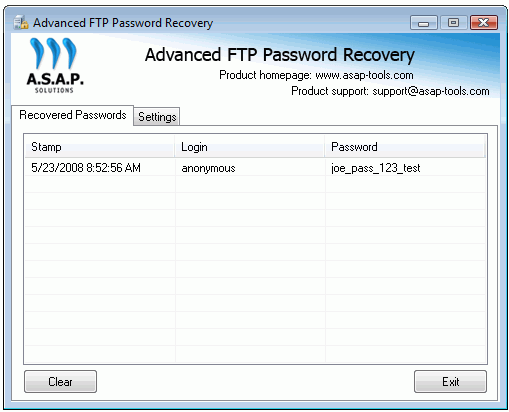
Now you can write down the recovered password and change the Address (and port if applicable) to original values (단계를 참조하십시오 #4)