
SmartFTP konnessjoni Password Irkupru
Avvanzata FTP Password Irkupru għal SmartFTP – Soluzzjoni għall faċli jirkupraw l-passwords FTP tal SmartFTP.
Kif tagħmel l-irkupru password SmartFTP?
Kif tirkupra password FTP tal SmartFTP (billi SmartSoft Ltd)?
Għażliet FTP tal SmartFTP
1. Mexxi software klijent SmartFTP
2. Agħżel il-konnessjoni FTP għall password irkupru (ftp.microsoft.com per eżempju)

3. Ikteb l-isem Ospitanti attwali u l-port settings. Għandek jerġgħu iġibuhom wara l-irkupru
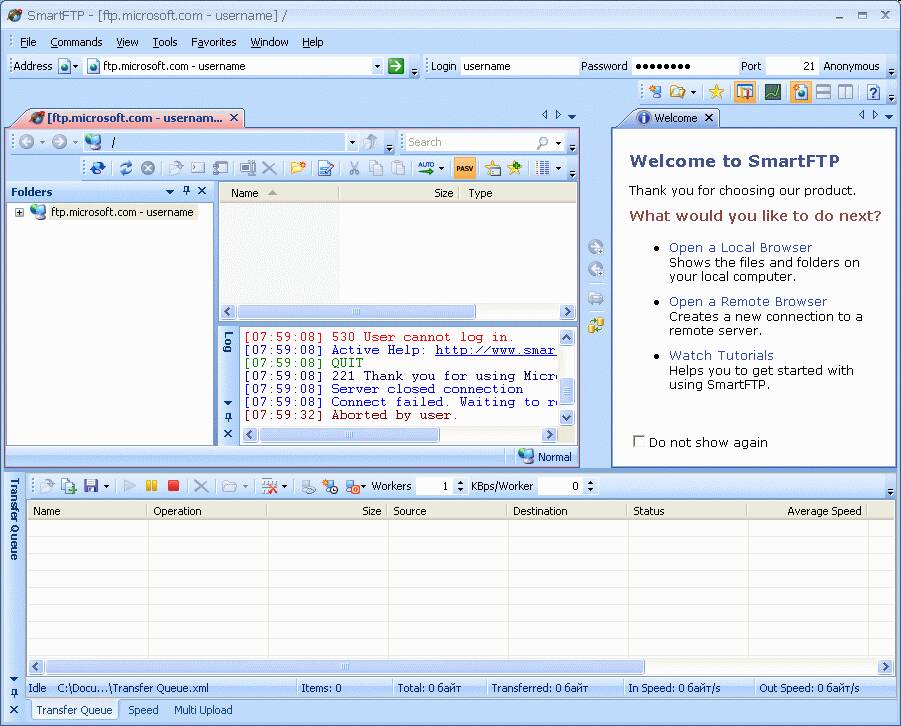
4. Tip fil localhost għall-qasam Indirizz. * inti tista 'ukoll it-tip fl- 127.0.0.1 jew l-indirizz IP kurrenti tal-Kompjuter fejn l-Advanced FTP Password Irkupru se jinbeda.

5. Mexxi l-għodda FTP Avvanzata Irkupru Password u tniedi l-emulazzjoni server FTP billi tagħfas buttuna Start fuq il-tab Settings.
Indikatur Ambjentali ser jurik li l-emulazzjoni server huwa beda.
* Għandek tbiddel il-valur port wkoll fil-każ jekk il-settings tal-port SmartFTP mhumiex default (21)
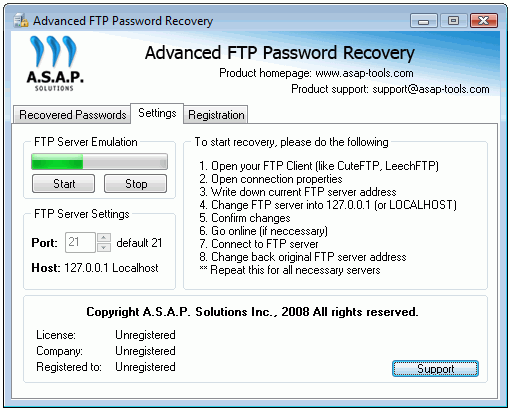
6. Mur għall-għodda SmartFTP u tibda l-konnessjoni FTP magħżula fil-pass #2
Biex tagħmel dan – għandek tagħfas buttuna GO 
7. Wara konnessjoni inti se tikseb l-password rkuprati murija f Avvanzata FTP Password Irkupru tab speċjali nominat bħala passwords rkuprati:
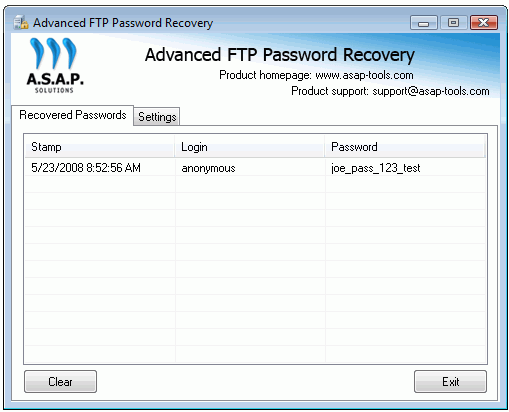
Issa inti tista 'tikteb l-password rkuprati u l-bidla l-Indirizz (u l-port jekk applikabbli) għall-valuri oriġinali (ara l-pass #4)